
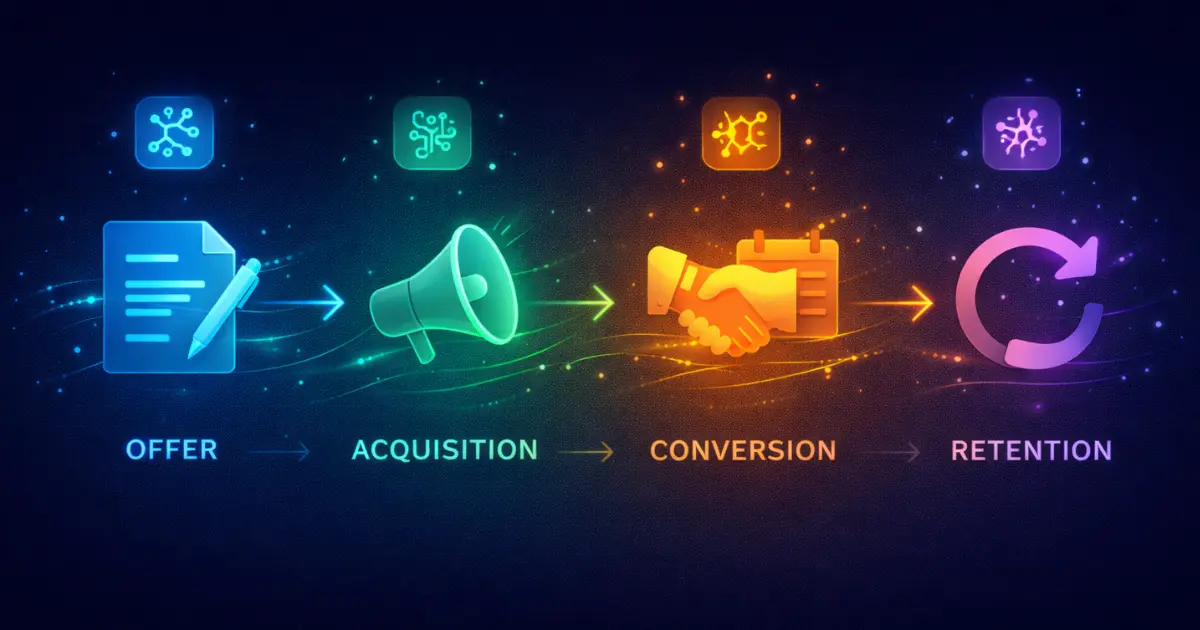
Most new coaches have a tool problem. Not because they have too few tools — because they have too many of the wrong ones, added in the wrong order, with no clear picture of what each tool is supposed to do for the business.
I have watched coaches spend their first three months testing AI tools instead of signing clients. They have a beautifully designed Notion workspace, a Canva template library, three different AI writing tools running simultaneously, and zero paid clients. The tools became the work instead of supporting it.
This article is the corrective. Five tools. Each one mapped to a specific stage of your business. Each one chosen because it addresses a real bottleneck new coaches hit before they land their first client. Free tiers noted where they exist. Paid tiers recommended where the upgrade is worth it.
Read this, pick your tools, and move on to the actual work.
1. The Framework These Tools Map To
Every coaching business, regardless of niche or model, runs through four stages. Understanding which stage you are in — and which stage is your actual bottleneck — is what determines which tool you need next.
Most new coaches fail at Acquisition or Conversion, not at Offer or Retention. They have a serviceable offer and they deliver reasonably well — but they cannot generate consistent discovery call bookings and they cannot close a high enough percentage of the calls they do get.
The five tools below are selected specifically to address that pattern. Two tools cover Acquisition and Conversion in depth because that is where the early-stage bottleneck lives. The others build the foundation that makes those two stages sustainable.
2. The 5 Tools — What They Are, What They Do, and When to Use Them
Tool 1: Claude — Offer Stage
The first thing a new coach needs to produce is copy that converts: a bio that communicates exactly who you help and what they get, an offer description that makes the value clear without over-explaining, and an onboarding document that sets the right expectations from day one. Claude is the right tool for this category.
The reason Claude leads the Offer stage is voice precision. When you give it a sample of your natural language and ask it to write in your voice, the output is closer to publishable than anything ChatGPT produces from the same input. For a new coach writing their website bio, their offer page copy, and their welcome email sequence all at once, the reduction in editing time is significant.
Start with the free tier. If you hit usage limits while building your initial asset library — bio, offer page, welcome sequence, onboarding doc — upgrade to Pro. At $20 a month it is the lowest-cost high-leverage tool in this list.
For the exact prompt sequence to build a coaching bio using Claude, read How to Write a Coaching Bio With AI That Actually Gets You Booked.
Tool 2: ChatGPT — Acquisition Stage
Acquisition means getting the right people to discover you and take an interest in what you do. For a new coach without a referral network yet, that means content — specifically, a consistent volume of content that surfaces in the feeds of potential clients. ChatGPT is the strongest tool for this task.
The reason ChatGPT leads Acquisition is production speed. You can give it a single idea and generate fifteen LinkedIn post variations in under two minutes. Its hook generation — the opening line that stops a scroll — is consistently strong. And its ability to repurpose a single piece of content across multiple formats means a new coach can build a week of content from one core idea in a single session.
Use it to research your niche before you create anything. Ask it what questions your target client is actively asking, what objections they have about coaching, and what language they use to describe their problem. Then use that research to brief every piece of content you produce.
The free tier is functional for occasional use but throttles under heavy content creation. If you are producing content consistently — which you should be — the Plus tier at $20 a month removes those limits and unlocks web browsing for live research.
For a direct comparison of ChatGPT and Claude across coaching tasks, read ChatGPT vs Claude for Coaches: Which One Actually Helps You Get Clients.
Tool 3: Otter.ai — Conversion Stage
Conversion is where most new coaches silently lose clients they have already half-closed. The discovery call goes reasonably well. The prospect says they will think about it. Then the coach sends a generic follow-up email two days later and the conversation dies. The problem is almost never the offer — it is the follow-up. Otter.ai fixes this.
Otter.ai transcribes your discovery calls in real time and generates an AI summary including action items, key topics, and notable moments. After the call, you have a written record of exactly what the prospect said their problem was, what outcome they described wanting, and what hesitation they expressed. That material becomes the brief for your follow-up email.
A follow-up email written from actual call notes — referencing the specific thing the prospect said, using their language, addressing the specific concern they raised — converts at a significantly higher rate than a template follow-up. Otter gives you those notes automatically without requiring you to type during the call or rely on memory after it.
The free tier covers 300 minutes of transcription per month — sufficient for most new coaches doing five to ten discovery calls a month. As your call volume grows, the Pro tier adds unlimited transcription and AI action item generation.
Tool 4: Notion AI — Retention Stage
Retention is the stage most new coaches underinvest in because they are so focused on getting clients that they have not built the system for keeping them. The result is a delivery process that varies from client to client, session notes that live in a scattered mix of apps, and a client experience that is inconsistent enough to reduce referrals and renewals. Notion AI addresses this with minimal setup time.
Notion AI sits on top of Notion’s database and page structure. For a new coach, the practical use is straightforward: one page per client, session notes after each call, AI-generated summaries of progress and patterns over time, and a simple framework document that standardizes how you deliver your service. When it comes time to renew or refer, that documentation becomes evidence of the value you have delivered.
After a session, paste your raw notes and ask Notion AI to organize them into a structured summary with action items and progress indicators. The output takes thirty seconds and gives you something professional to share with the client in your follow-up message.
Notion itself has a free tier that works for basic client tracking. The AI add-on at $10 a month is the piece that makes it worth including in this list. Without the AI layer it is just a notes app.
Tool 5: Canva Magic Studio — All Stages
Every stage of a coaching business requires visual content. A profile image for acquisition. A lead magnet PDF for acquisition and conversion. A welcome packet for retention. A new coach without a design background and without a designer budget needs a tool that produces professional-looking visual output quickly. Canva with its Magic Studio AI features is the right tool for this category.
Magic Studio includes a text-to-image generator, a Magic Write tool for drafting short-form copy inside designs, a Background Remover, and an AI presentation builder that turns a topic and outline into a structured slide deck. For a new coach, the most immediately useful feature is the presentation builder — you can produce a professional-looking discovery call presentation or welcome deck in under twenty minutes.
The free tier of Canva is functional for basic design work but limits access to most Magic Studio AI features. The Pro tier at $15 a month unlocks the full AI toolkit and the premium template library. For coaches creating content consistently, the upgrade pays for itself in time saved within the first week.
One important note: use Canva for visual production, not for AI writing. Magic Write is adequate for short captions and headlines but is not a replacement for Claude or ChatGPT for anything requiring voice, nuance, or length. Keep the tools in their lane.
3. Free vs Paid — What You Actually Need to Spend
If you are pre-revenue and need to keep costs at zero while you land your first client, here is what the free tiers give you and where the limits will hurt.
- Claude free: Sufficient for building your initial asset library. Will hit limits if iterating heavily. Upgrade to Pro once you have revenue.
- ChatGPT free: Functional for occasional content. Throttles quickly under daily production. Upgrade to Plus when you are publishing consistently.
- Otter.ai free: 300 minutes per month covers five to ten discovery calls. Sufficient through your first few months.
- Notion AI: Notion itself is free. The $10 AI add-on is where the value is. This is the one paid tier that is hardest to replicate with free alternatives.
- Canva free: Covers basic design. Upgrade to Pro when you need the AI presentation builder and full template library.
The total monthly cost of all five tools at their paid tiers is $81.99. That is less than the cost of one no-show discovery call. Once you have a single paying client, these tools are covered.
4. The Order to Implement
Do not set up all five tools in one sitting. Here is the sequence that makes practical sense.
- Week 1 — Offer: Set up Claude. Write your coaching bio, offer description, and discovery call page copy.
- Week 1 — Acquisition: Set up ChatGPT. Research your niche and produce your first two weeks of social content.
- Week 2 — Conversion: Set up Otter.ai before your first discovery call. Connect it to your meeting platform once. After that it runs automatically.
- Week 2 — Cross-stage: Set up Canva. Build your profile images and one lead magnet or welcome deck. Cap design time at two hours.
- Week 3 — Retention: Set up Notion AI once your first client is booked or close. Build your client template before the first session.
This sequence means you are client-ready by end of week two and have your retention system in place before you need it.
5. These Tools Are the Stack — Not the System
A stack of tools without a workflow connecting them is just a list of subscriptions. The tools above are the right five pieces. The system that connects them — how your content drives discovery calls, how your calls close into clients, how your onboarding sets up retention — is what produces consistent client flow. That system is what the The 2026 AI Marketing Stack for Coaches covers at the strategic level.
Tools answer what to use. Systems answer how to use it in a sequence that produces a result. You need both.